
Twilio Integration
Siphon with Twilio
This guide shows how to connect Twilio Elastic SIP Trunking to SIPHON for:
- Inbound calls (PSTN -> Twilio -> SIPHON Agent)
- Outbound calls (Your code -> SIPHON -> Twilio -> PSTN)
Prerequisites
- A Twilio account with Elastic SIP Trunking enabled
- Your SIP endpoint is available (from your project settings)
- A purchased Twilio phone number that supports Voice
- SIPHON installed and a working agent worker script
You will need:
- SIP URI / SIP endpoint (from your project settings)
- Twilio trunk domain (ends with
pstn.twilio.com) - A Credential List (username/password) for outbound authentication

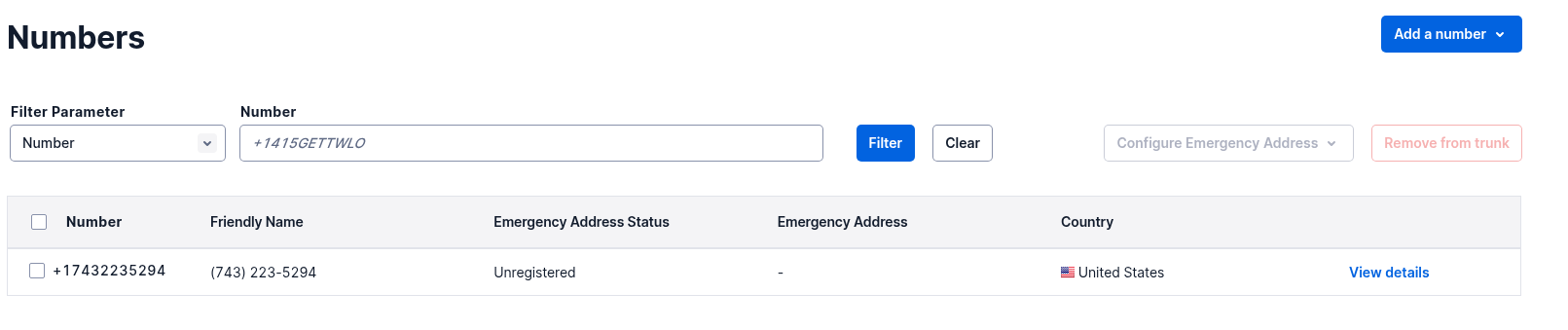
1) Create your Twilio resources (Twilio Console)
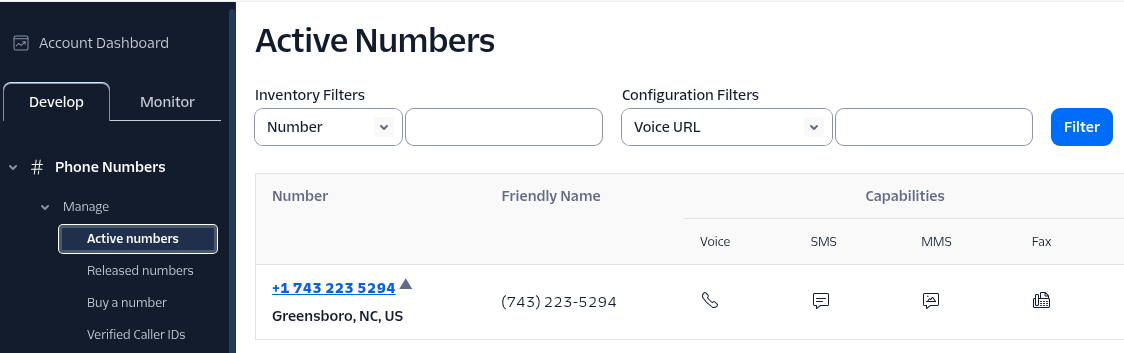
Step 1.1: Buy a Twilio phone number
- Open the Twilio Console: https://console.twilio.com
- Go to:
- Phone Numbers -> Manage -> Buy a number
- Purchase a number that supports Voice.
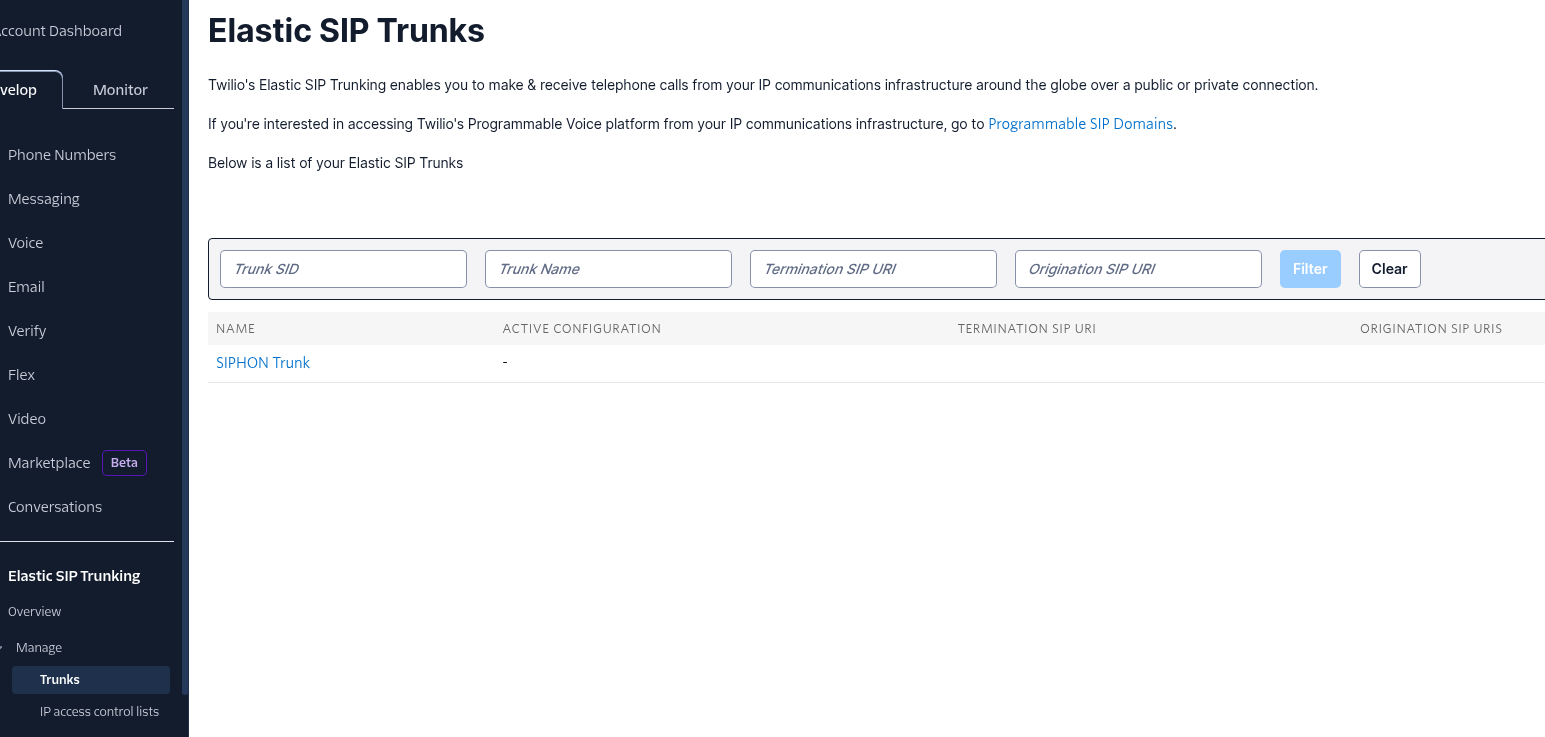
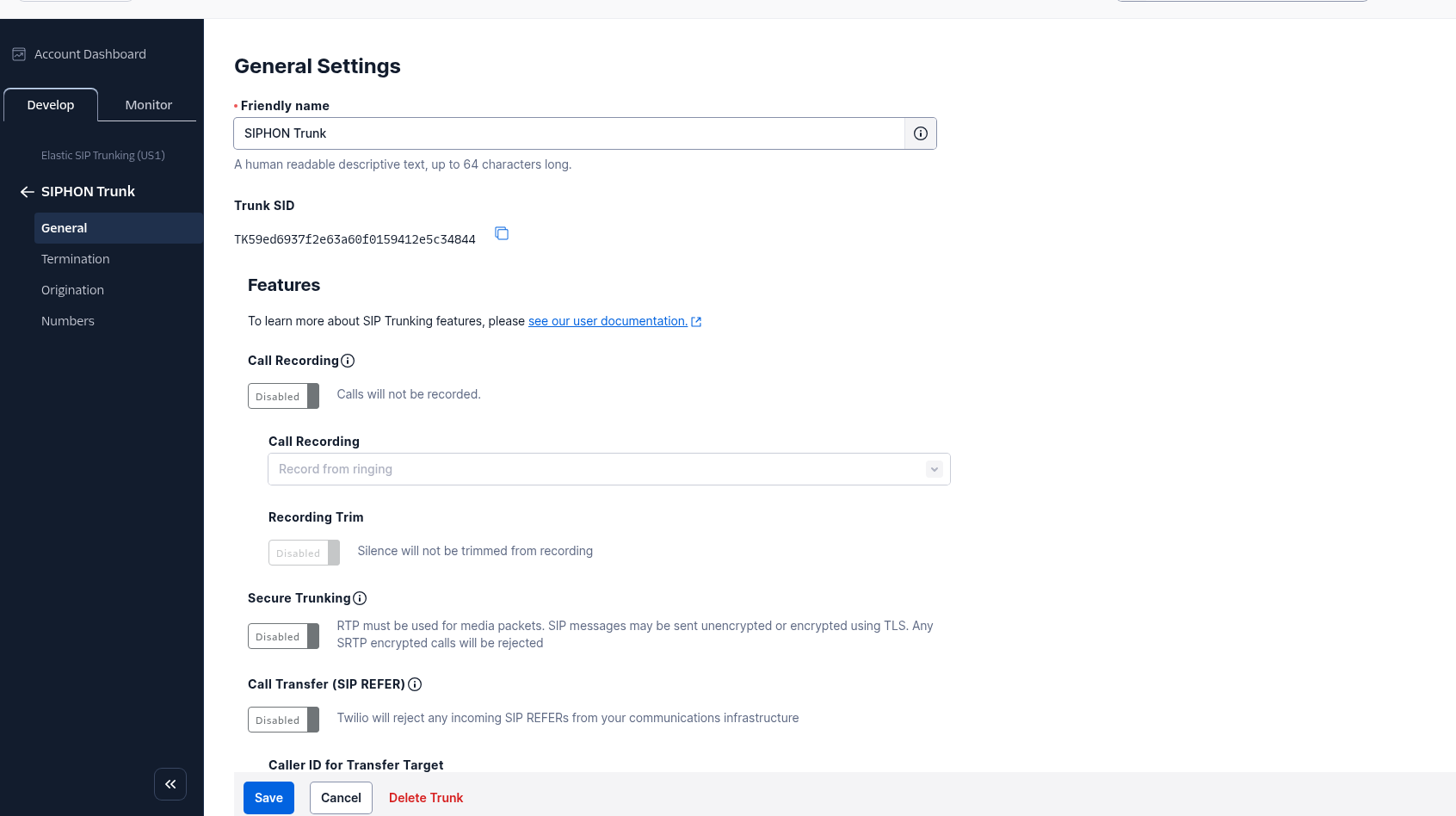
Step 1.2: Create an Elastic SIP Trunk
- In Twilio Console, go to:
- Elastic SIP Trunking -> Manage -> Trunks
- Click Create new SIP Trunk
- Set:
- Friendly Name: e.g.
SIPHON Trunk - Domain: Twilio will create a domain that ends with
pstn.twilio.com(required by Twilio)
- Friendly Name: e.g.
Step 1.3 (Inbound): Create an Origination Connection Policy and point it to your SIP endpoint
This makes Twilio forward inbound calls to your SIP endpoint.
-
In Twilio Console, go to:
- Elastic SIP Trunking -> Manage -> Trunks -> select your trunk -> Origination
-
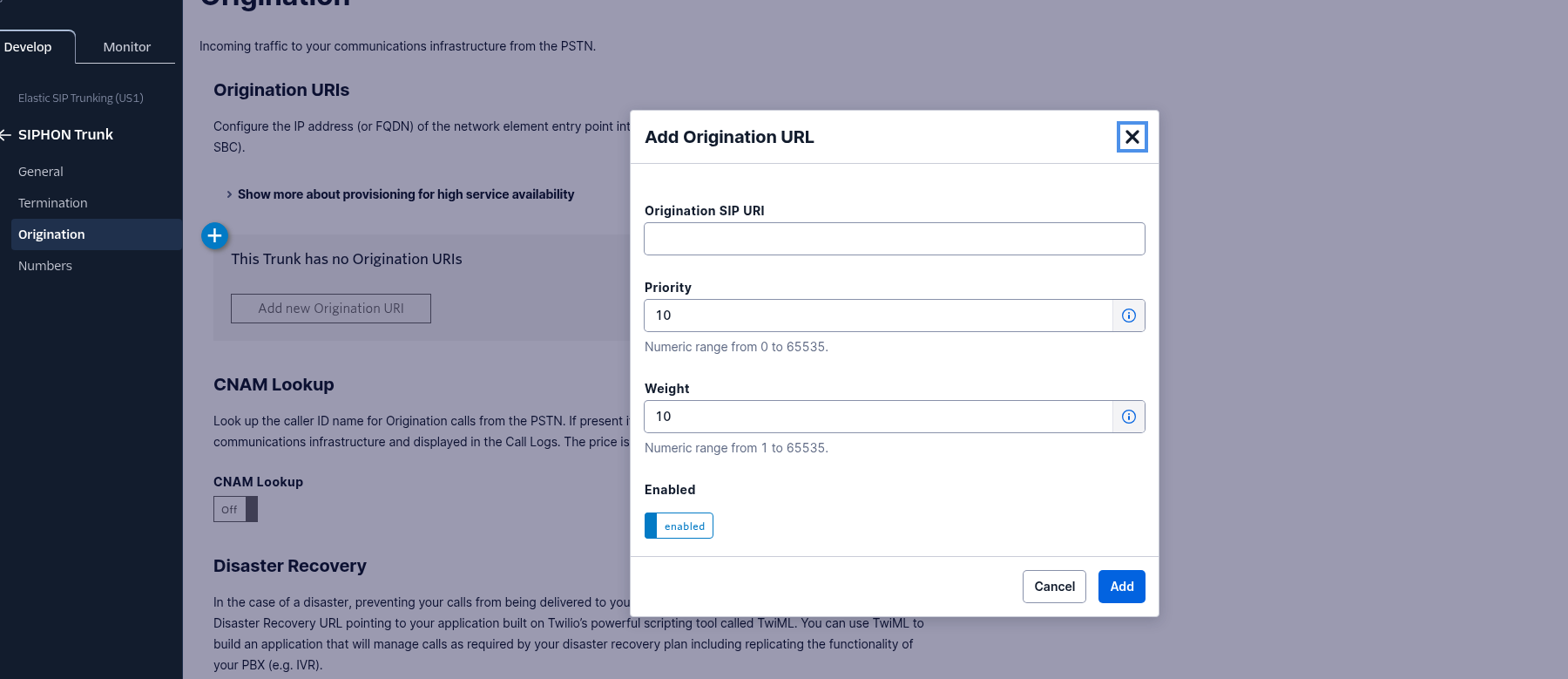
Add new Origination URI
-
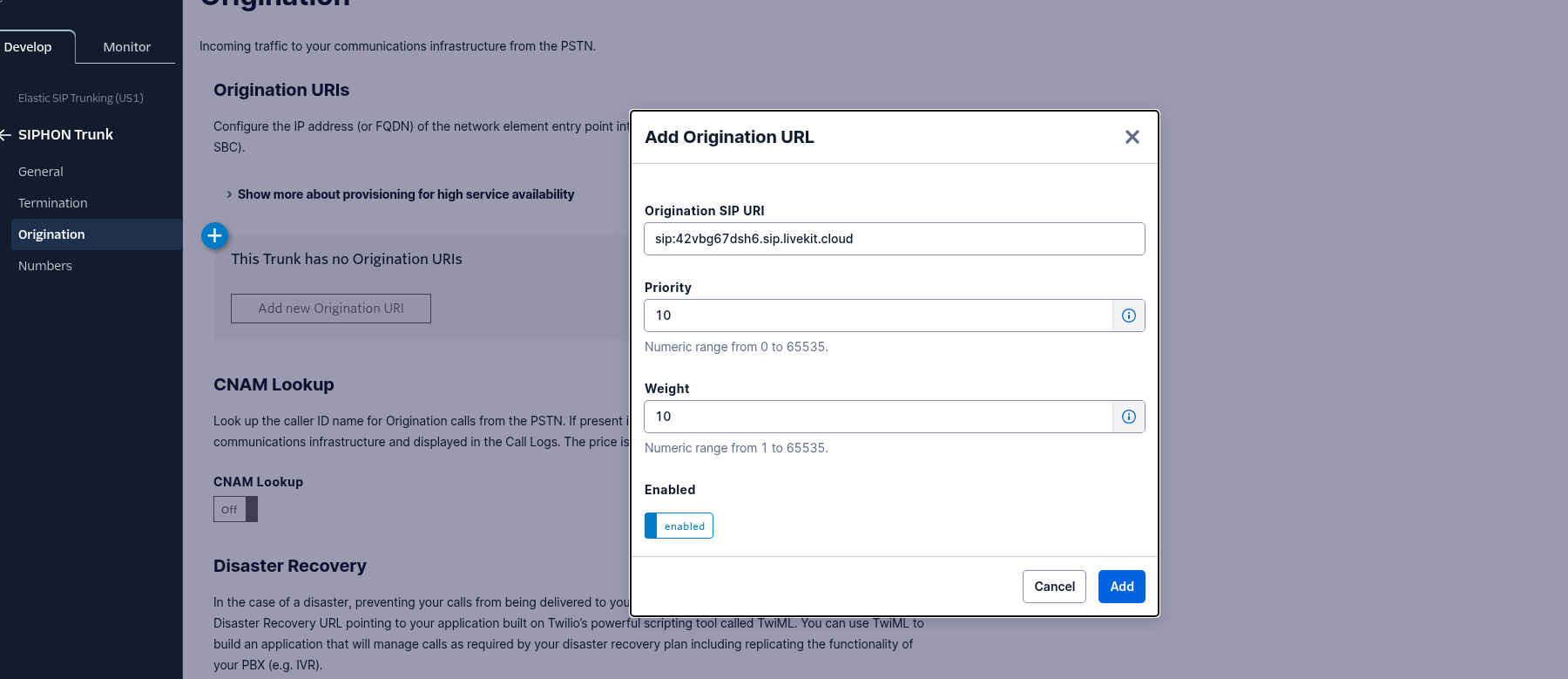
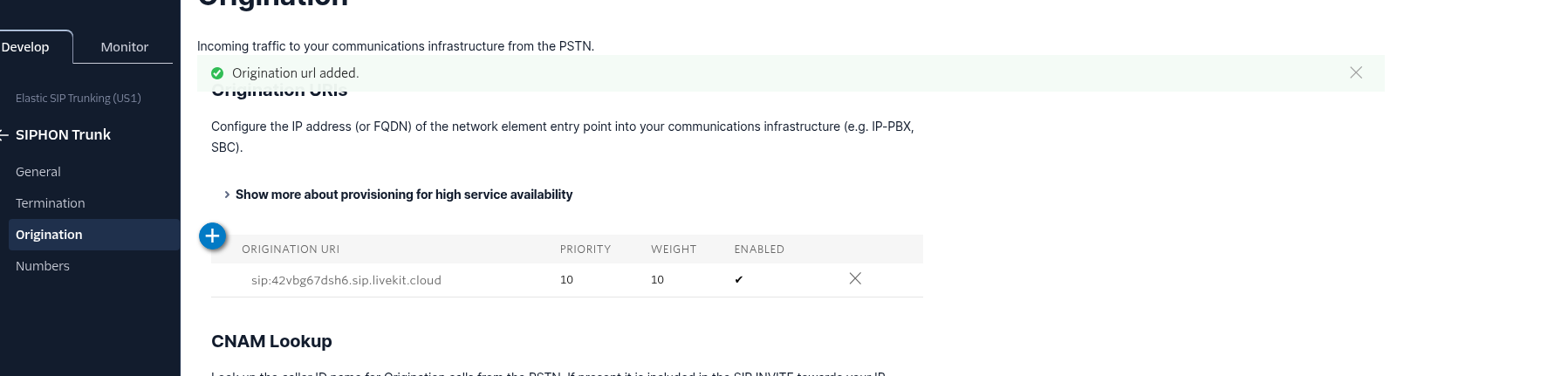
Set Origination SIP URI to your LiveKit project’s SIP endpoint (the SIP URI shown in your project settings - on cloud).
- Example format:
sip:<your-project>.sip.livekit.cloud
- Example format:
Step 1.4 (Outbound): Create a Credential List and attach it to the trunk
This is required for SIPHON to authenticate when placing outbound calls through Twilio.
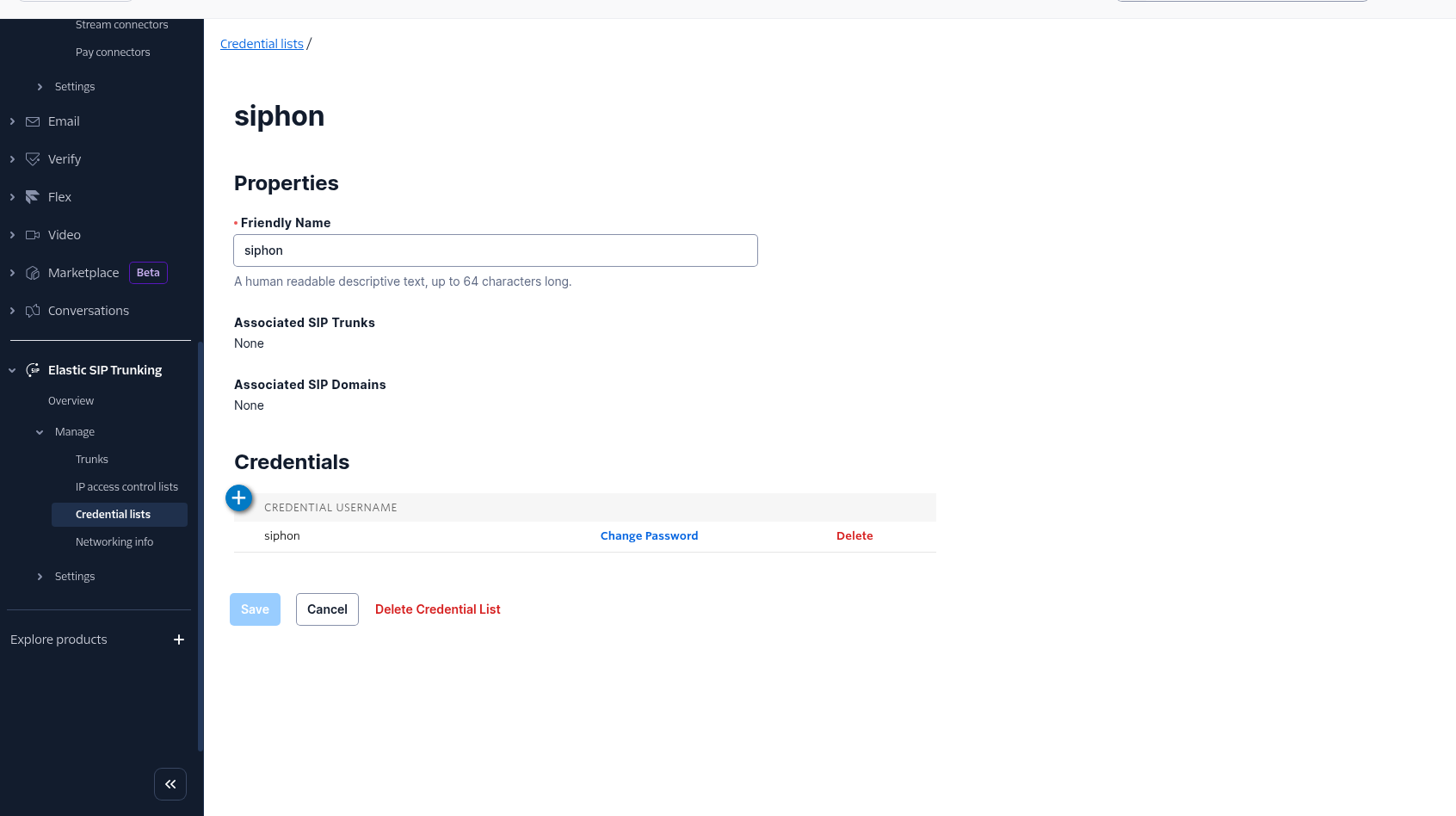
Step 1.4.1: Create the credential list
-
In Twilio Console, go to:
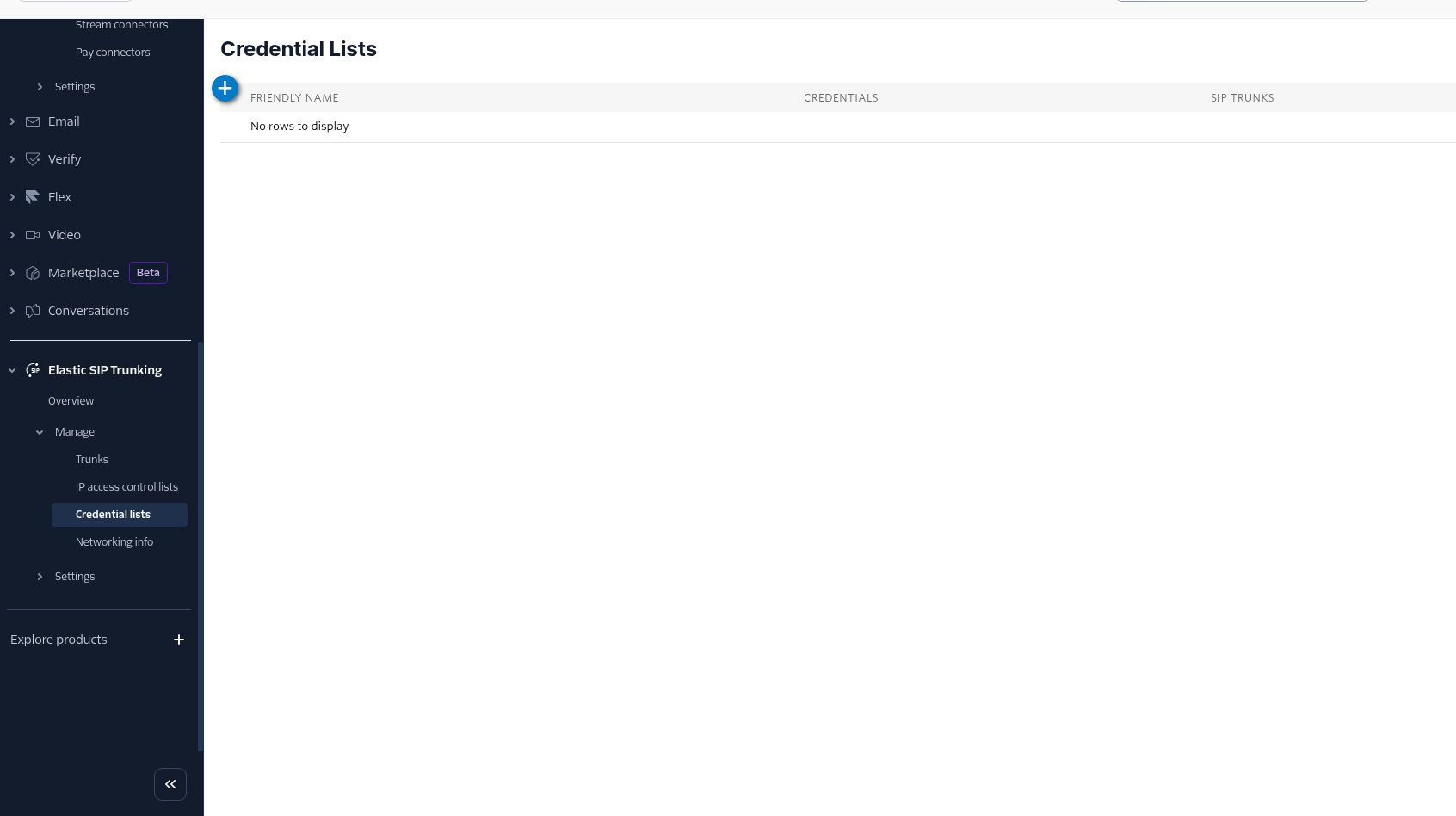
- Elastic SIP Trunking -> Manage -> Credential lists
- Elastic SIP Trunking -> Manage -> Credential lists
-
Create a new credential list.
-
Add a credential (choose a username/password).

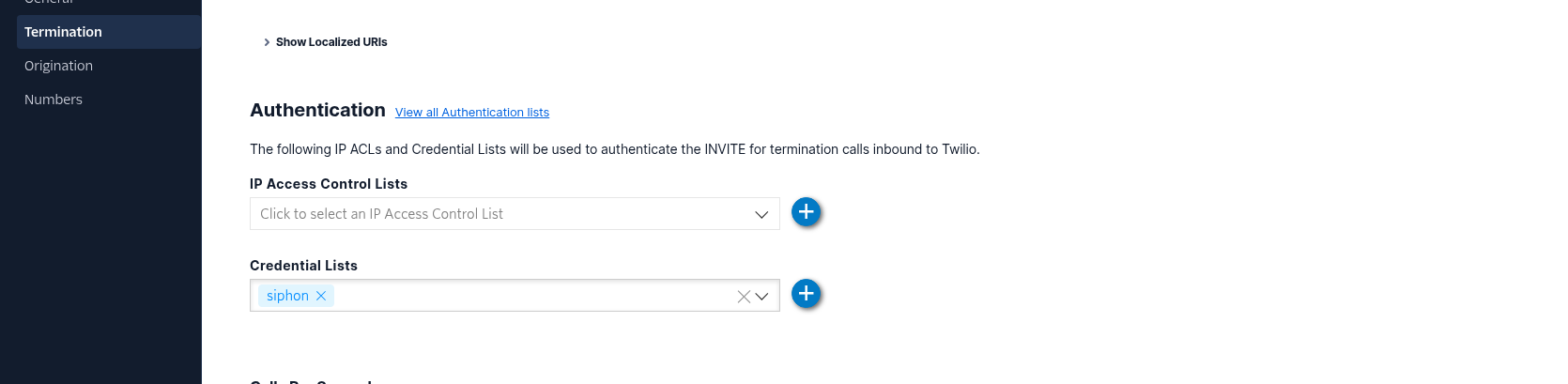
Step 1.4.2: Associate the credential list with your trunk
- Go to:
- Elastic SIP Trunking -> Manage -> Trunks -> select your trunk
- Go to:
- Termination -> Authentication -> Credential Lists
- Select the credential list you created
- Click Save
Step 1.4.3: Copy the trunk domain
On the same trunk page, find the termination SIP URI and create, save and copy the trunk domain.
You will typically use:
- The trunk domain (e.g.
siphon-trunk.pstn.twilio.com) as thesip_addressvalue in SIPHON

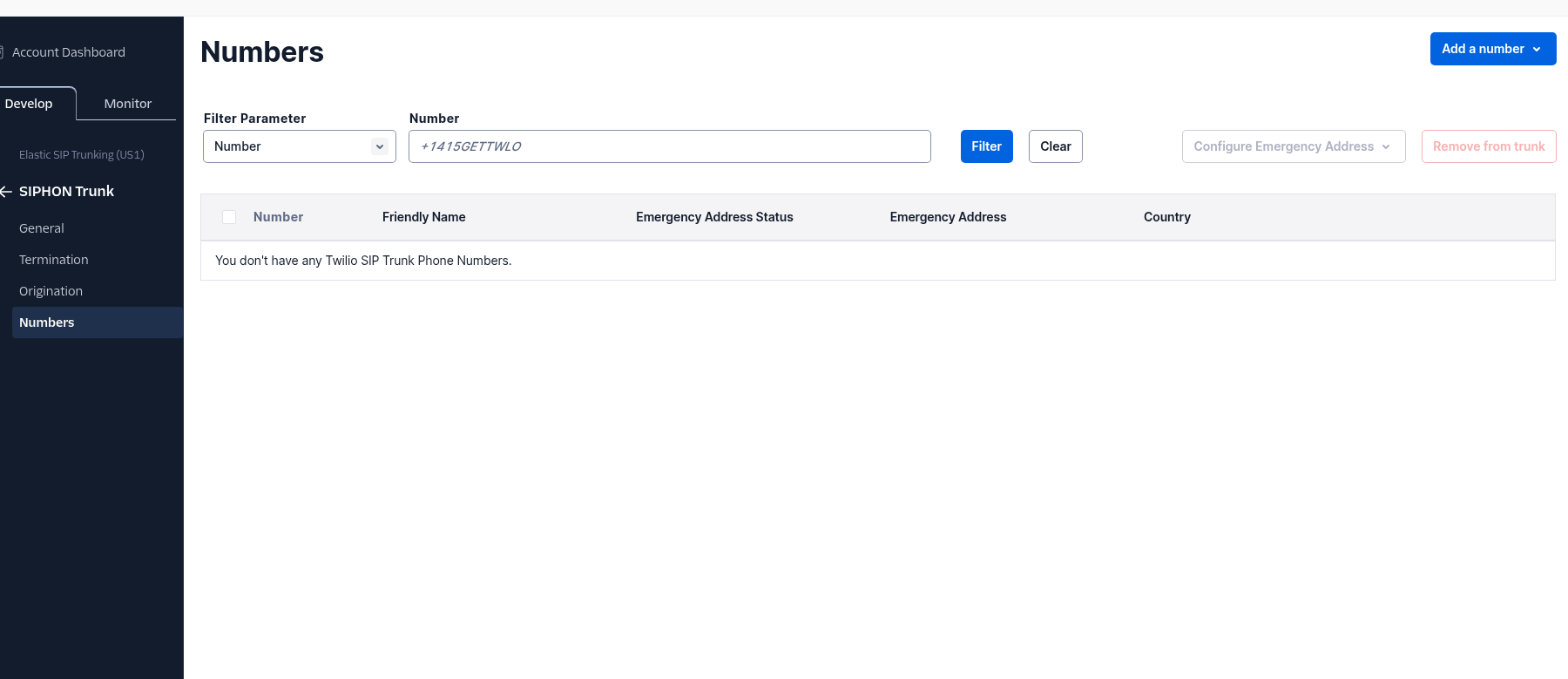
Step 1.5: Attach your Twilio phone number to the trunk
-
Go to:
- Elastic SIP Trunking -> Manage -> Trunks -> select your trunk -> Numbers
- Elastic SIP Trunking -> Manage -> Trunks -> select your trunk -> Numbers
-
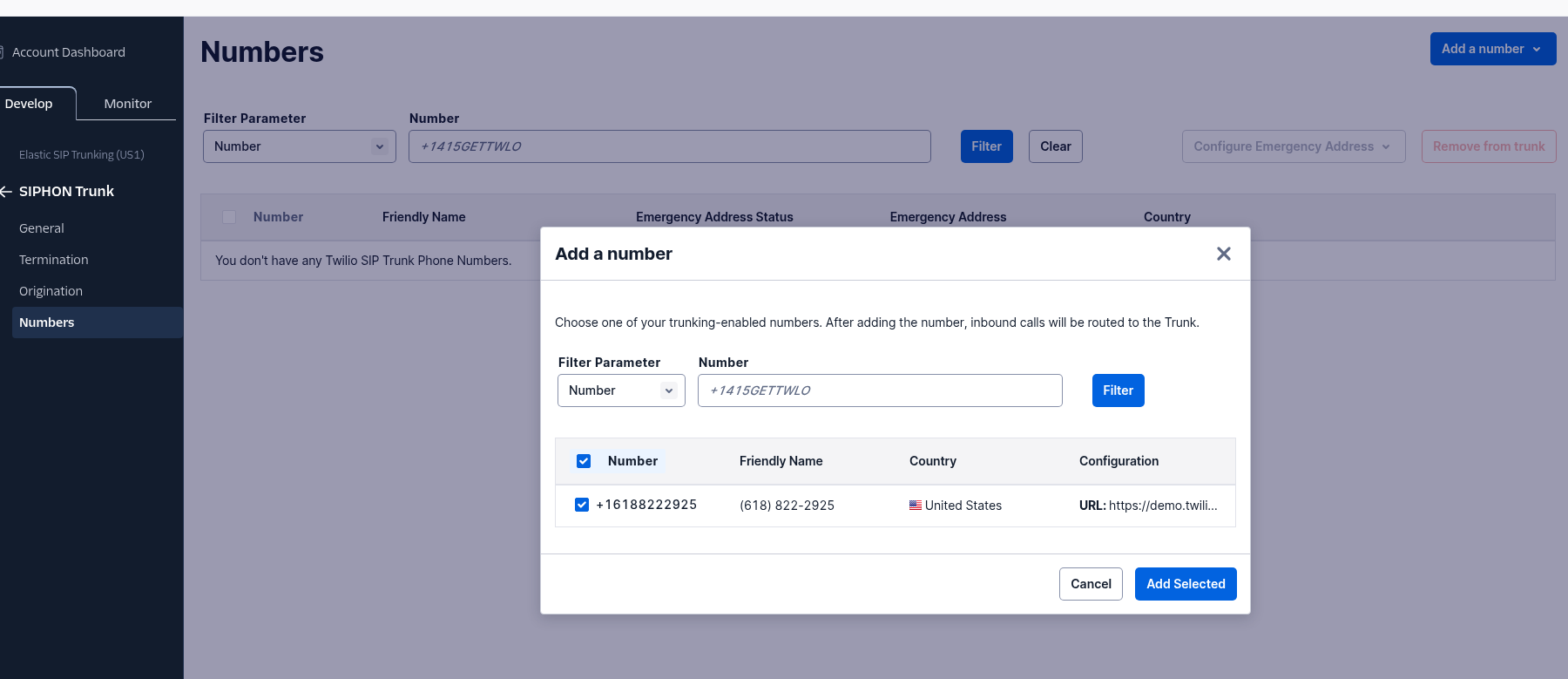
Find the section to associate/attach phone numbers to the trunk
-
Attach the phone number you purchased
2) SIPHON setup (Inbound + Outbound)
Step 3.1: Run your agent worker
Start your agent worker (dev or prod):
Agent(...).dev()for local developmentAgent(...).start()for production
Make sure your environment is configured:
LIVEKIT_URLLIVEKIT_API_KEYLIVEKIT_API_SECRET
Step 3.2 (Inbound): Create the inbound dispatch in SIPHON
Inbound calls are routed to a worker by agent_name. Ensure the same agent_name is used by:
- your running agent worker, and
- your inbound dispatch
Example:
from siphon.telephony.inbound import Dispatch

dispatch = Dispatch(
    agent_name="Calling-Agent-System",
    dispatch_name="twilio-inbound",
    sip_number="+15105550123",
)

dispatch.agent()
Now, when a PSTN caller dials your Twilio number:
- Twilio forwards the call to your SIP endpoint (via the Origination policy)
- SIPHON routes the call to your agent worker (by
agent_name) - Your agent session starts and runs the voice loop
Step 3.3 (Outbound): Place a call from code
Example:
from siphon.telephony.outbound import Call

call = Call(
    agent_name="Calling-Agent-System",
    sip_trunk_setup={
        "name": "twilio-primary",
        "sip_address": "<your-twilio-trunk-domain>",
        "sip_number": "+15105550123",
        "sip_username": "<twilio-credential-username>",
        "sip_password": "<twilio-credential-password>",
    },
    number_to_call="+14155550100",
)

call.start()
Notes:
sip_addressshould be your Twilio trunk domain (example:my-trunk.pstn.twilio.com).- The username/password must match the Twilio Credential List attached under trunk Termination Authentication.
4) Testing checklist
Inbound test
- Confirm the SIPHON worker is running
- Call your Twilio number from a real phone
- Confirm:
- The SIP participant appears
- The agent greets/responds (if enabled)
Outbound test
- Confirm the SIPHON worker is running
- Run your outbound
Call(...).start()script - Confirm:
- PSTN destination rings
- Agent audio is heard
Common issues
Twilio trial account limitations
- Twilio trial projects often restrict calling to verified phone numbers only.
- If outbound calls fail (or inbound doesn’t behave as expected), confirm the destination/source numbers are verified in your Twilio Console.
- To remove these limits, upgrade your Twilio account.
Inbound calls don’t reach SIPHON
- Verify Twilio Origination SIP URI is set to your project’s SIP endpoint
- Verify your Twilio number is attached to the trunk
- Verify you created a SIPHON inbound dispatch (and that
dispatch_nameis unique) - Verify
agent_namematches the worker you are running
Outbound calls fail authentication
- Ensure the Twilio Credential List is attached to the trunk under Termination Authentication
- Ensure the SIPHON
sip_trunk_setupusername/password exactly match the Twilio credentials
Outbound calls fail routing / wrong caller ID
- Ensure you’re passing
sip_trunk_setup["sip_number"]with a Twilio number you own/attached to the trunk